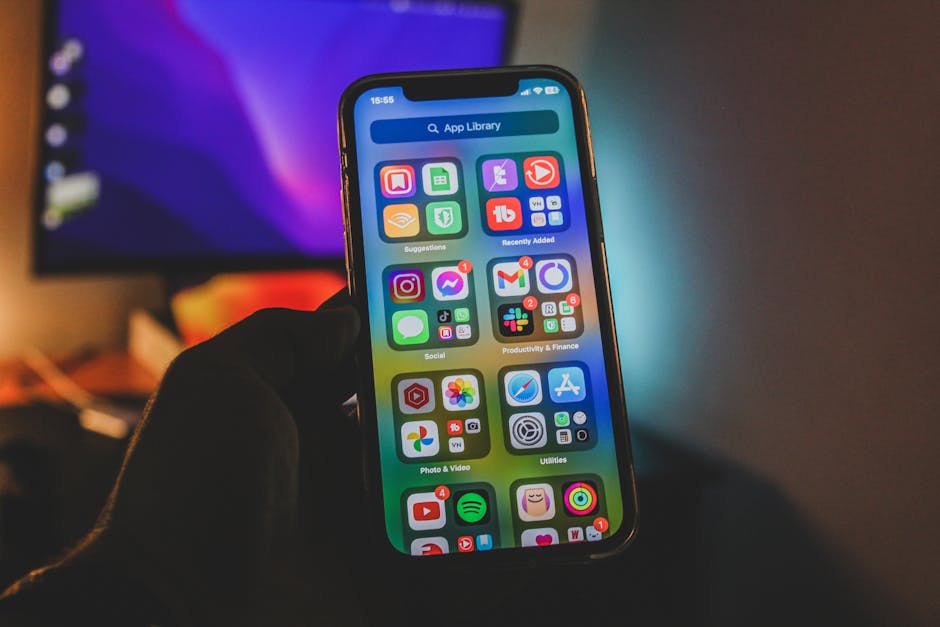
Photo by Czapp Árpád on Pexels
Most “best apps” lists are basically ads. They tell you to download a $15/month project management tool you’ll use twice and forget. This list is different — every app here is either completely free or pays for itself fast, and every single one has a direct line to saving you real money.
Why Productivity and Saving Money Are the Same Thing
Here’s something most personal finance blogs won’t say out loud: disorganization is expensive. Missing a bill payment costs you a late fee. Forgetting to cancel a free trial costs you a month’s charge. Not planning your meals costs you $50 in takeout you didn’t budget for. Chaos has a price tag.
The right productivity apps fix that. They keep you organized, remind you of what matters, and stop money from leaking out through forgetfulness alone. The apps below were chosen specifically because they do double duty — they make your life more organized AND they have a measurable impact on your wallet.
1. YNAB (You Need A Budget) — The One That Changes How You Think About Money
Cost: $109/year (34-day free trial, free for college students)
Yes, it costs money. But YNAB claims new users save an average of $600 in their first month and over $6,000 in their first year. If that even half-true, $109 is one of the better investments you’ll make.
The system is called zero-based budgeting: every dollar you earn gets assigned a job before you spend it. Rent, groceries, fun money, emergency fund — everything. When something unexpected comes up, you move money between categories instead of panicking or reaching for a credit card. It sounds simple because it is, but it works precisely because it forces you to be intentional about every purchase.
The app syncs with your bank, tracks transactions automatically, and shows you exactly where your money is going in real time. There’s also a solid mobile app so you can check your budget before an impulse purchase at Target. Which, speaking from experience, is very useful.
2. Todoist — The Free Task Manager That Keeps Late Fees Away
Cost: Free (Beginner plan); Pro plan $4/month
A late payment fee on a credit card averages around $30–$40. Miss three in a year and you’ve lost $90–$120 for literally nothing. Todoist solves this.
It’s a task manager that uses natural language input — you type “pay rent on the 1st every month” and it creates a recurring reminder automatically. No setup wizards, no complicated menus. The free plan is genuinely robust: unlimited tasks, projects, and reminders across all your devices.
I use it mainly for financial to-dos: bill due dates, insurance renewal reminders, subscription trial end dates. The moment you stop relying on memory for this stuff, you stop paying for things you forgot to cancel.
3. Google Keep — The $0 App That Prevents Grocery Store Chaos
Cost: Completely free
Grocery shopping without a list is basically a donation to your supermarket. You wander, you impulse-buy, you forget the one thing you actually needed. Google Keep fixes this with zero learning curve and zero cost.
Create a shared grocery list with your household. Anyone can add items, check things off in real time, and the list syncs instantly. It also works as a general notes and reminders app — prices you spotted at different stores, coupon codes, the model number of that appliance filter you always forget. Simple, fast, free.
If you’re looking for a full system to bring your grocery spending under control, check out our guide on how to save money on groceries without coupons — Google Keep pairs perfectly with it.

Photo by Jilly Noble on Pexels
4. TickTick — A Habit Tracker That Keeps You Out of the Restaurant
Cost: Free (solid free tier); Premium $27.99/year
TickTick is part task manager, part habit tracker, part Pomodoro timer — and the free version covers all the basics. The habit tracking feature is what makes it money-relevant: you can set goals like “meal prep Sunday,” “check credit card statement,” or “review subscriptions this week.”
Habits that save money are easy to know about and hard to actually do. A visual streak keeps you honest. Miss meal prep once and you’ll pay for it in takeout. Miss it twice and the whole week falls apart. TickTick’s streak system adds just enough friction to make you follow through.
If meal prep is on your radar, we’ve got a full breakdown of cheap meal prep ideas under $5 per serving that pair nicely with this habit-tracking approach.
5. Notion — Your Free Financial Dashboard (If You Set It Up Right)
Cost: Free personal plan; Plus plan $10/month
Notion is an app so flexible it can do almost anything — which means most people use it for almost nothing. But if you actually sit down and set it up, a Notion workspace can replace several paid tools at once.
One practical use: a subscription tracker. Build a simple table with every subscription you pay for, the monthly cost, the renewal date, and whether you’ve used it in the last 30 days. Update it once a month. You will find things to cancel. Americans spend an average of $219 per month on subscriptions, according to a 2024 survey by C+R Research — and most people think they’re spending around $86. That $133 gap is exactly where Notion (or any honest list) can help you.
You can also use it for price-tracking spreadsheets, meal planning databases, annual budget planning, or a household financial wiki the whole family can access.
6. RescueTime — The App That Shows You Where Your Day Actually Goes
Cost: Free (basic); Premium $12/month
This one is less obviously about money, but stick with it. RescueTime runs silently in the background on your computer and phone, tracking exactly which apps and websites you’re spending time on. At the end of the week, it gives you a report.
Here’s the money connection: time has a dollar value. If you’re spending two hours a day on social media, that’s two hours you could have used to meal prep, do a side hustle, compare insurance quotes, or negotiate a bill. A lot of people are surprised — and a little horrified — when they see where their hours actually go. That discomfort tends to be motivating.
Quick Comparison: Which App Is Right for You?
| App | Cost | Best For | Money Impact |
|---|---|---|---|
| YNAB | $109/yr | Full budgeting system | High — avg $6K saved/yr |
| Todoist | Free | Bill reminders, task lists | Medium — eliminates late fees |
| Google Keep | Free | Grocery lists, quick notes | Medium — reduces impulse buys |
| TickTick | Free / $28/yr | Habit tracking, focus | Medium — builds saving habits |
| Notion | Free | Subscription tracker, planning | High — kills forgotten subs |
| RescueTime | Free / $12/mo | Time awareness | Indirect — frees up time |
The Stack That Actually Works
You don’t need all six. That’s how you end up with an app graveyard on your phone. Here’s a simple starting stack based on where you are financially:
Just starting out / tight budget: Google Keep + Todoist (both free, zero learning curve, massive impact on forgetfulness-based spending).
Ready to get serious: Add YNAB. Yes, it costs $109 a year. But if you actually use it, it’s the best-returning $109 you’ll spend.
Want to build habits: Swap Google Keep for TickTick and use the habit tracker seriously. One well-built habit — like weekly meal prep — can save $200–$400 a month in food costs alone.
And if you want to take stock of what you’re already paying for — apps, streaming, subscriptions, all of it — a good first step is running through our best apps to save money in 2026 roundup, which covers cashback, bill negotiation, and more.
One Rule Before You Download Anything
Here’s the uncomfortable truth about productivity apps: they only work if you actually use them. An app you open for three days and abandon costs you more than nothing — it costs you the time you spent setting it up and the false belief that you “tried.”
Pick one app from this list. Use it consistently for two weeks before adding another. Apps are tools, not solutions. The solution is you, using the tool.
The good news? The apps above all have free plans or trials long enough to know whether they’ll stick. So there’s no financial risk in trying — only in not trying.
The most expensive app in the world is the one sitting unused on your phone while you forget to cancel a $14.99/month subscription you haven’t touched since 2024.
Written by David Carter | savemoneysimple.com