Best Grocery Store Apps That Actually Save You Money (2026 Tested)
Best Grocery Store Apps That Actually Save You Money (2026 Tested)
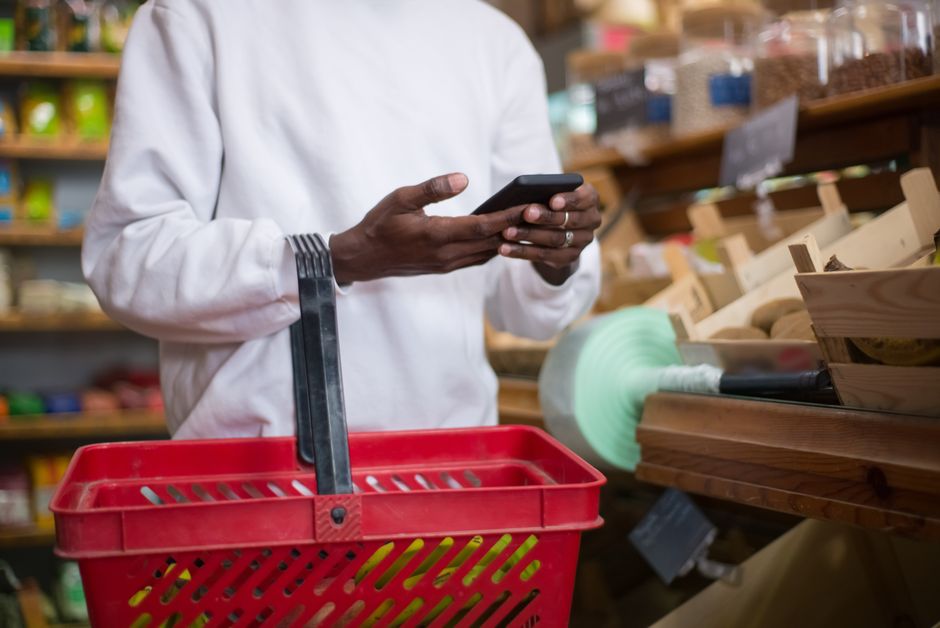
Photo by Kampus Production on Pexels
I'll be honest — I downloaded four cashback apps and swore I was about to become a coupon genius. Thirty days later, I had scanned more receipts than I care to admit and earned… a mixed bag. Some apps were genuinely worth the two minutes they asked for. Others were basically asking me to rearrange my entire shopping routine for a quarter.
So here's the real-world breakdown: which grocery apps actually put money back in your pocket, which ones are more effort than they're worth, and how to stack them together for maximum savings.
Why Grocery Apps Are Worth Your Attention in 2026
Grocery prices have climbed roughly 25% compared to 2020, according to multiple USDA-sourced estimates. The average American household now spends around $475 a month on food. That's a lot of budget pressure — and cashback apps exist specifically to claw some of that back.
The best part? These apps don't require you to change where you shop or hunt for coupons before every trip. You're getting paid on purchases you were already going to make. The worst part? Most people download the apps, forget to use them, and leave real money sitting on the table.
This article is for people who want to actually use these apps — not just download them. Let's go through the five best options in 2026, what they're genuinely good at, and how much you can realistically expect to earn.
1. Ibotta — The Strongest Cashback App for Grocery Shoppers
Best for: Regular grocery shoppers at major chains like Walmart, Target, or Kroger.
Ibotta is the gold standard of grocery cashback apps, and it's been paying people since 2012. The app works by letting you activate offers on specific products before you shop, then confirm your purchase by linking your loyalty account or uploading a receipt. Once you hit $20 in your balance, you cash out via PayPal, Venmo, or gift card.
According to Ibotta's own data, the average active user earns over $250 a year — that's roughly $20 a month. CNBC Select confirmed similar figures, noting active users typically earn $10–$20 a month, while power users who stack multiple offers and bonuses can hit $30–$75 a month. From what I've seen, the sweet spot for a regular family shopper who activates offers consistently is around $20–$30 a month — about $300 per year for five minutes of prep before each grocery run.
One thing to know: Ibotta has a $3.99/month inactivity fee if your account sits unused for 6 months. Set a reminder, stay active, and it's never an issue.
Cashback rates: $0.20–$5.00 per eligible item. They also have "any brand" offers — like $0.25 cash back on any gallon of milk — which are easy wins even if you buy generics.
2. Fetch Rewards — Easiest App, Lowest Effort
Best for: People who want something dead simple with zero offer activation.
Fetch is the easiest cashback app on the market, full stop. You open the app, scan any receipt (yes, any receipt — grocery, gas, restaurant, you name it), and you earn points. No need to activate offers before you shop. No need to buy specific brands. Just scan and go.
Every receipt earns at least 25 base points. Since 1,000 points = $1, a single plain receipt earns you about $0.025. That sounds small — and honestly, it is if you only stick to base points. The real earnings come from Fetch's "Special Offers," where buying specific featured brands earns 250–3,000 bonus points per item ($0.25–$3.00 each).
According to Fetch's own data, active users scan around 28 receipts per month and can earn roughly 10,000 points per month — about $10/month or $120/year. That's less than Ibotta, but the near-zero effort means there's almost no reason not to use it alongside Ibotta. You can submit the same receipt to both apps.
One thing to know: Fetch pays out in gift cards, not cash. But you can redeem for Amazon, Target, Starbucks, and many others. The minimum cashout is just $3 (3,000 points — or 3,500 for Amazon specifically). Note that redemption values vary slightly by retailer, so pick the gift card that fits your life.

Photo by Gustavo Fring on Pexels
3. Checkout 51 — A Solid Backup Worth Keeping
Best for: Supplementing Ibotta with additional offers, especially if some products aren't covered.
Checkout 51 has been around since 2012, works at any grocery store (no loyalty card linking required), and refreshes its offers every Thursday. You browse deals in the app, buy the products, snap your receipt, and earn cash back. Minimum payout is $20, paid by check or PayPal.
Realistically, expect around $5–$10 a month if the offers align with your shopping habits. That's modest — but the value is in using it alongside Ibotta, not instead of it. Sometimes Checkout 51 has offers on products that Ibotta doesn't, so they complement each other nicely.
One thing to know: Checkout 51 has weekly caps on the number of claims per offer. Popular items can hit zero before you even get to the store. To avoid disappointment, check and activate your offers early on Thursdays when they refresh. Also, don't let your balance sit for more than 6 months — they charge a $3.99/month inactivity fee.
4. Flipp — The Smart Pre-Shopping Tool
Best for: Planning your grocery run around what's actually on sale before you leave the house.
Flipp is a little different from the others — it doesn't offer cashback after the fact. Instead, it aggregates the weekly sales flyers from over 2,000 stores (Walmart, Target, Kroger, Publix, Costco, and many more) into one app. You enter your zip code, see what's on sale at stores near you, and plan your shopping list around the best deals.
The savings here are real, even if they're harder to quantify. Knowing that ground beef is $1.50 cheaper at Kroger than Safeway this week, or that your usual cereal brand is buy-one-get-one at Publix, can easily save you $20–$40 on a single weekly shop without buying anything different than normal.
I use Flipp while making my grocery list every Sunday. Five minutes of browsing usually saves at least one or two big-ticket substitutions. It also loads digital coupons directly to your store loyalty card — no printing, no clipping.
5. Your Store's Own App — Don't Skip This One
Best for: Loyal shoppers at a single grocery chain — and anyone who wants the easiest savings with zero scanning.
This one gets overlooked constantly. If you shop regularly at Kroger, Safeway, Publix, Albertsons, or any major chain, their official app is giving away serious money through digital coupons and loyalty rewards. These aren't tiny discounts either — Kroger's "Digital Deals" section often has 25–50% off items, loaded straight to your loyalty card. No scanning, no uploading, nothing. Just tap to add and the discount applies automatically at checkout.
On a typical $100 grocery run, activating the available digital coupons in the store app usually saves me $8–$15 without changing what I buy. Over a month, that's easily $30–$60 back. This is often the single biggest return per minute of effort of anything on this list.
Quick Comparison: Which App Is Worth Your Time?
| App | Avg. Monthly Savings | Effort Level | Best Feature |
|---|---|---|---|
| Ibotta | $20–$30 | Medium | Highest real cashback value |
| Fetch | ~$10 | Very Low | Scan any receipt, no prep |
| Checkout 51 | $5–$10 | Medium | Works at any store |
| Flipp | $20–$40+ | Low (planning only) | Sales flyer aggregator |
| Store App | $30–$60 | Very Low | Auto-loads loyalty discounts |
Savings estimates are based on regular household use. Individual results vary based on shopping frequency and product selections.
The Stacking Strategy: How to Use These Together
Here's the routine that takes about 10 minutes of total effort per week and can realistically save $60–$100 a month on groceries:
- Open Flipp before making your list. Scan the weekly sales at your usual stores. Plan your meals around what's actually on sale this week.
- Check Ibotta for offers. See if any products on your list have cashback offers. Activate them — this takes 2 minutes.
- Load digital coupons in your store app. Scroll through the store's digital deal section and add anything relevant. This stacks on top of Ibotta.
- Shop normally. Don't buy stuff just because it has an offer — that's how you actually lose money.
- Submit the receipt to Fetch. Takes 10 seconds. Done.
If you shop at Checkout 51-friendly stores, you can also quickly check for any extra offers there before submitting your receipt to Fetch. Each of these takes an extra minute or less once you get in the habit.
If you're new to these tools, our post on saving money on groceries without coupons covers other smart habits that pair well with this app stack. And if you want a broader picture of the best money-saving apps across all spending categories, check out our rundown of the best apps to save money in 2026.
Quick FAQ
Can you use Ibotta and Fetch on the same receipt?
Yes, absolutely. They're completely separate apps. You earn Ibotta cashback for specific activated offers, and you earn Fetch points just for the scan itself. Same receipt, double the rewards.
Is it worth the effort for a small family?
For anyone spending $300+ a month on groceries, absolutely yes. Even a conservative estimate — Ibotta plus your store app plus Fetch — should save $50–$80 a month with under 15 minutes of total weekly effort. That's $600–$960 a year. Hard to argue with that.
What if I only want to use one app?
Use Ibotta if you shop at major chains and want real cash back. Use Fetch if you want zero friction and gift card rewards. For most people, Ibotta delivers more money per minute spent.
The Bottom Line
None of these apps are magic. Checkout 51 won't make you rich, and Fetch is not going to fund your retirement. But the combination of Ibotta + your store's app alone can realistically shave $50–$90 off your monthly grocery bill — that's $600–$1,000 a year in real savings on stuff you were already buying anyway.
The trick is keeping it simple. Don't try to use every app at once until you've got two or three on autopilot. Start with Ibotta and your store app. Add Fetch once those feel natural. Then maybe add Flipp as your Sunday planning tool.
For more ways to stretch your grocery budget, check out our week-by-week guide to saving money on groceries in 2026 — the apps work a lot better when your overall shopping strategy is solid too.
The grocery stores have been quietly raising prices for years. Might as well fight back with your phone.
Written by David Carter | savemoneysimple.com
Enjoyed this article?
Get practical money-saving tips delivered to your inbox — no spam, no fluff.


Comments
Post a Comment